
Infoportal
Dies ist eine alte Version des Dokuments!
deəp Eclipse Views
The deəp Eclipse plugin contains a set of various views which display the state of the processor or serve as logging output. These views are independent of the deep debug plugin.
Open View
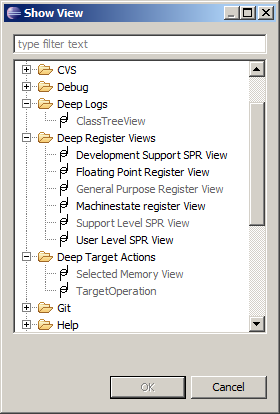
- Under //Window → Show View → Other…
// open Show View dialog.

- Select view.
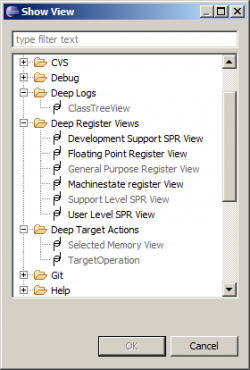
- Confirm with OK.
Usage
Register Views
All register views for the various types of the mpc555 registers are built in the same manner. They show the content of all the registers of this type.
Using the context menu of an entry you can change the display of the value.

Buttons in the toolbar of a view allow the following actions:
- arrow → new reading of the value (refresh)
- red square → stop target
- green plus Plus → start target
USB Log
The USB Log displays the output which was sent over the SCI1(USB). The log can be cleared by 
ClassTreeView
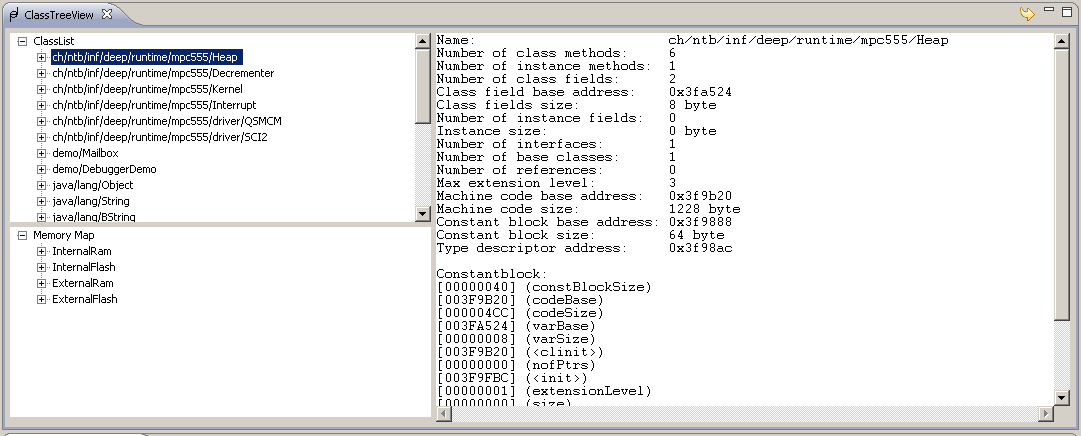
The ClassTreeView shows all classes and their methods which are loaded onto the target. Further it shows how much target memory is used and which kind of memory is involved.
By unfolding a class you get infomation for each method such as SSA (single static assignment or machine code.
Pay attention to the fact that the view doesn't refresh automatically. After recompiling a project and subsequent reloading of the target you have to refresh the view using the arrow button.
TargetOperation

Dient zur Kommunkation und Manipulation des Targets. Durch die Auswahl im Drop-down-Menü können folgende Aktionen ausgeführt werden:
- Register: Auslesen und setzen von Registern durch Angabe der Registernamens.
- Variablen: Auslesen und setzen von statischen Variablen durch Angabe des voll qualifizierenden Namen der Klasse und des Variablennamens, getrennt durch einen Punkt.
- Address: Auslesen und beschreiben einer Speicheradresse, durch deren Angabe.
- TargetCMD: Aufrufen von parameterlosen statischen Methoden einer Klasse durch Angabe des voll qualifizierenden Namens der Klasse und des Methodennamens getrennt durch einen Punkt.
- Send over SCI1: Einen String über die USB-Schnittstelle an das Target senden.
Mittels des grünen Pfeils kann die eingegebene Aktion wiederholt werden. Wobei der Pfeil abwärts bedeutet, das wir etwas an das Target senden und der Pfeil aufwärts das wir vom Target auslesen. Tritt ein Fehler wärend der Aktion auf, so erscheint eine Meldung in der letzten Spalte.
Selected Memory View
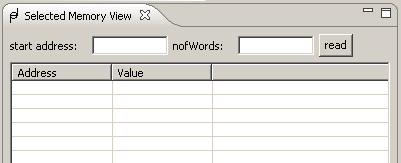
Mit Hilfe dieser View können ganze Speicherbereiche ausgelesen werden. Es muss die Startadresse angegeben werden und wieviele Wörter gelesen werden sollen. Durch betätigen des Knopfes „read“ wird dann das Auslesen gestarted.